

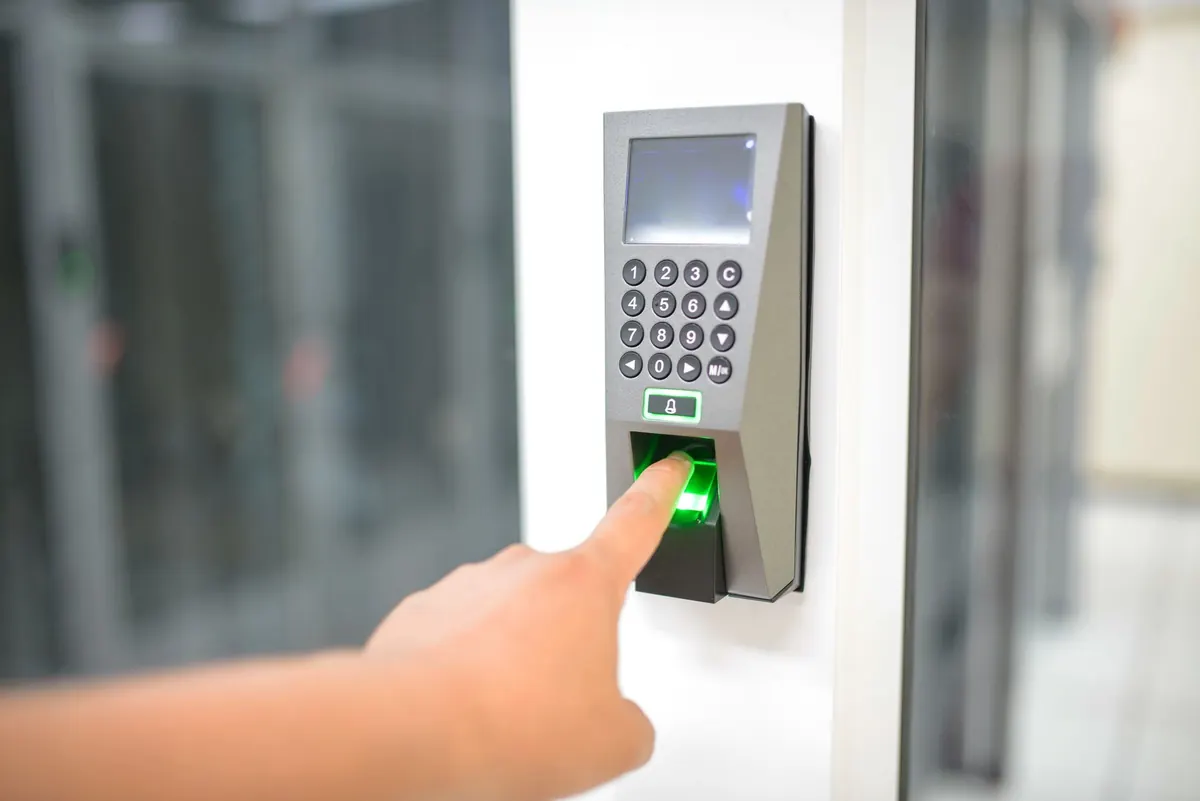



Passwords fail in predictable ways. People reuse them, share them, write them down, and type them into lookalike login pages. Traditional multi-factor authentication (MFA) reduces the damage, but it does not always remove the weakest link. A one-time code sent by SMS can be intercepted. A push notification can be approved by a tired user at 11 p.m. Passwordless authentication goes further: it removes the password from the login entirely, replacing it with a cryptographic credential tied to a device, a security key, or a biometric check.
That sounds appealing, and often it is. But passwordless is not a single product you switch on. It is a set of methods, each with different security properties, support costs, and recovery headaches. The practical question is which method fits which users, apps, and risk levels—and how to get there without locking people out of their work.
What counts as passwordless—and what does not
MFA and passwordless are not opposites. MFA means proving identity with more than one factor: something you know, something you have, or something you are. A password plus an authenticator app is MFA. A password plus a hardware key is also MFA. Passwordless means the password factor is gone.
Common passwordless methods include:
- Passkeys backed by FIDO2/WebAuthn, stored in a platform keychain or hardware key.
- Hardware security keys such as USB or NFC tokens that require a physical touch.
- Platform biometrics like Windows Hello, Touch ID, or Android biometrics that unlock a device-bound credential.
- Magic links or email codes that sign you in without a password, though these still depend on email security.
- Push notifications with number matching in some implementations, though many still fall back to a password.
Be skeptical of vendors that label any second factor as passwordless. If a user still types a password at the start, it is MFA, not passwordless. If a magic link can be forwarded, it may be convenient but not phishing-resistant. The strongest passwordless options are based on FIDO2/WebAuthn because the credential is bound to the legitimate site and cannot be replayed on a fake one.
Where traditional MFA still makes sense
Traditional MFA is not obsolete. It is widely supported, familiar, and easier to deploy across mixed systems. If your organization runs old on-premises applications, thin clients, or shared workstations, a password plus a smart card or authenticator app may be the only practical option today.
It also gives you a bridge. If you have no MFA at all, going straight to passwordless for every account is risky. Enforce MFA for email, VPN, and admin consoles first. Then improve the method. Replace SMS and voice codes with authenticator apps or push where possible. Move privileged users to hardware keys. That work pays off even if full passwordless takes another year.
The weaknesses of traditional MFA are well known. SMS codes can be phished or SIM-swapped. Push fatigue attacks annoy users until they approve. One-time codes can be relayed by a real-time phishing proxy. And passwords still create helpdesk tickets, reset flows, and reused secrets. Passwordless removes those problems, but only if the implementation is solid.
The real advantages of passwordless
When passwordless is done with FIDO2/passkeys, the security benefits are concrete. There is no shared secret to steal from a server. The private key never leaves the user's device or security key. The login is bound to the legitimate website, so a phishing page cannot capture and replay it. For remote workers and executives, that closes a common attack path.
Users often prefer it, too. Signing in with a fingerprint or a security key tap is faster than typing a long password and waiting for a code. Fewer password resets means fewer helpdesk calls. For organizations with high turnover or many contractors, that matters.
There are operational wins as well. Password policies, rotation rules, and password vault sprawl shrink. Access reviews become cleaner because credentials are tied to devices and identities rather than shared strings. The catch is that you trade password management for credential lifecycle management: enrollment, device loss, recovery, and revocation.
The trade-offs and hard parts
Passwordless is not friction-free. Account recovery is the biggest challenge. If a user loses a phone or security key, how do they prove who they are without creating a bypass that attackers can exploit? A weak recovery process can undo strong authentication. You need a documented recovery flow with identity proofing, temporary credentials, and audit logs.
Compatibility is another issue. Not every application supports passkeys or security keys. Legacy systems may require passwords, and some SaaS tools still treat passwordless as an add-on. Shared devices—kiosks, lab machines, shop-floor terminals—need different handling. Platform ecosystems can also create lock-in: a passkey synced to one vendor's cloud may not move cleanly to another.
Cost and change management are real. Hardware keys cost money, though they are often cheaper than a single major incident. Users need training, and support teams need new scripts. None of this is a reason to avoid passwordless. It is a reason to phase it in and measure the results.
Migration steps that work at different sizes
Start with an inventory. List your identity providers, critical applications, admin consoles, and user groups. Mark which systems support SAML, OIDC, FIDO2, or only passwords. Then choose a pilot group that is tolerant of change and has real risk exposure—IT admins, finance, or remote sales.
Small organizations
Keep it simple. If you use a cloud identity provider, turn on passkeys for administrators first. Enforce MFA everywhere else. Once admins are comfortable, offer passwordless to the rest of the company as the preferred method, with a password fallback for legacy apps. Document recovery in one page.
Mid-sized organizations
Treat it as a project. Standardize on one identity provider, connect applications through SSO, and use conditional access to require stronger authentication for sensitive roles. Pilot passwordless with one department for 30 days. Collect helpdesk tickets and login failure rates. Then expand by risk, not by convenience.
Large or regulated organizations
Plan for hybrid identity and legacy integration. Privileged accounts should get hardware security keys first. Build a credential recovery desk with strict verification. Run tabletop exercises for lost devices. Coordinate with application owners so passwordless does not become a shadow IT workaround.
Across all sizes, use this sequence:
- Enforce MFA as a baseline.
- Upgrade weak factors to phishing-resistant ones.
- Enable passwordless for admins and high-risk users.
- Make passwordless the default for new devices and new hires.
- Keep a documented fallback for legacy systems.
- Review recovery, revocation, and audit logs quarterly.
Start with one login, not a manifesto
Passwordless authentication is a direction, not a single deadline. Improve authentication one critical login at a time. Begin with the accounts that would hurt most if stolen: email admins, cloud administrators, finance approvers, and remote access gateways.
Measure what changes: reset requests, login failures, support tickets, and blocked phishing attempts. If a method causes more friction than it removes, adjust it. If a legacy app blocks progress, isolate it behind SSO and compensate with stronger controls. Always test recovery before you need it. A passwordless rollout succeeds when users barely notice the change—except that they stop typing passwords and attackers have a much harder time getting in.
Photo: panumas nikhomkhai / Pexels